
Microsoft Fabric Learning Path
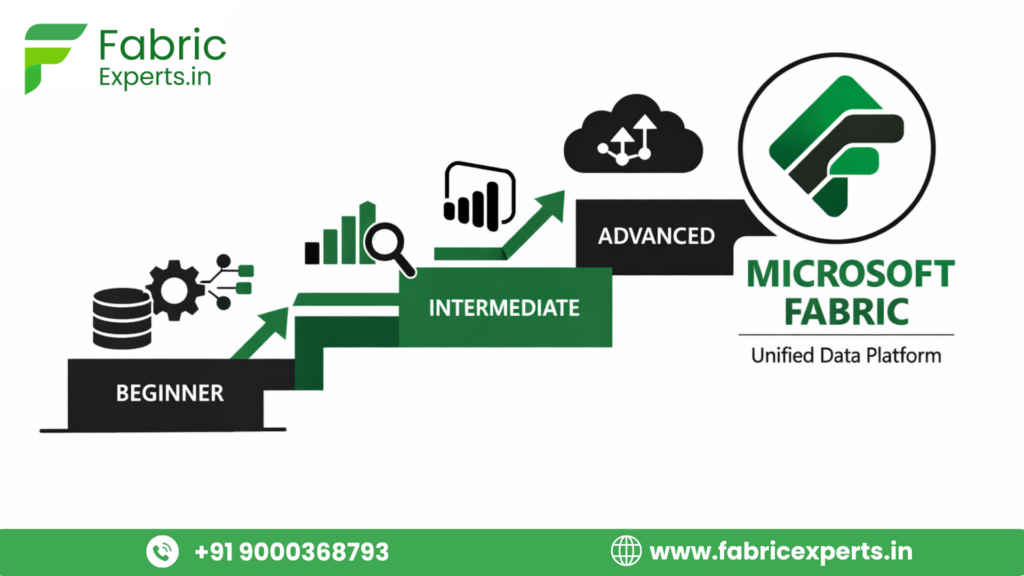
At Fabric Experts, we take a practical, results-driven approach to the Microsoft Fabric Learning path, combining industry best practices, hands-on experience, and beginner-friendly explanations. Rather than focusing only on theory, we help learners understand how these skills are used in real business environments, from improving productivity to solving real problems.
Microsoft Fabric Learning Path – Step-by-Step Roadmap
Below is a clear, structured Microsoft Fabric learning path divided into Beginner, Intermediate, and Advanced levels.
Step-by-Step Microsoft Fabric Learning Path Roadmap
Level | Focus Area | What You Learn | Key Tools | Outcome |
Beginner | Fabric Basics | What is Fabric, OneLake, Workspaces | Fabric UI | Clear foundation |
Beginner | Data Ingestion | Load data from Excel, SQL, APIs | Data Factory | ETL basics |
Beginner | Power BI in Fabric | Semantic models, reports | Power BI | Reporting skills |
Intermediate | Data Engineering | Spark, notebooks, transformations | Lakehouse | Big data handling |
Intermediate | Data Warehousing | SQL analytics, modeling | Warehouse | Enterprise analytics |
Intermediate | Security & Governance | Roles, access, lineage | Fabric Admin | Production readiness |
Advanced | Real-Time Analytics | Streaming data, KQL | Event streams | Live insights |
Advanced | Data Science | ML models, experiments | Notebooks | Predictive analytics |
Advanced | Performance & Optimization | Cost, capacity, tuning | Fabric Capacity | Scalable solutions |
This roadmap ensures no guesswork and smooth career progression.
Why Learners Are Confused & Why a Microsoft Fabric Learning Path Matters
When you search for Microsoft Fabric online, you’ll find scattered tutorials, docs, videos, and posts—but no clear starting point. Beginners often feel confused about where to begin, whether Power BI is required, or if Fabric is meant for analysts or data engineers.
This confusion happens because Microsoft Fabric isn’t a single tool—it’s a complete, end-to-end analytics platform. Without a structured learning path, many learners jump between components, lose direction, and give up.
This article simplifies that journey. Designed for students, freshers, and working professionals in India, it provides a clear, step-by-step Microsoft Fabric learning path—from basics to advanced—focused on real-world understanding, not theory overload. If you’re aiming for a career in data, analytics, or cloud, this guide will help you learn with clarity and confidence.
What Is Microsoft Fabric?
Microsoft Fabric is an all-in-one data analytics platform built on Azure. Instead of using multiple tools separately—like Azure Data Factory, Synapse, Power BI, and Data Science notebooks—Fabric brings everything together in one unified experience.
Think of Microsoft Fabric as a smart factory:
- Raw data comes in
- Data gets cleaned and processed
- Insights are generated
- Reports are shared
All inside one environment, using OneLake as the central data storage.
Key components inside Microsoft Fabric:
- Data Engineering (Spark, pipelines)
- Data Factory (ETL / data integration)
- Data Warehousing
- Data Science (ML, notebooks)
- Real-Time Analytics
- Power BI (built-in)
This integration is why Microsoft Fabric is gaining massive adoption across enterprises in India and globally.
Who Should Follow the Microsoft Fabric Learning Path?
The Microsoft Fabric learning path is suitable for a wide range of learners:
Students & Freshers
- Engineering, BCA, BSc, MCA, MBA (Analytics)
- Want a future-proof analytics career
- No prior cloud experience required
Working Professionals
- Power BI developers
- SQL developers
- Data analysts
- Azure / AWS professionals switching to Fabric
Career Switchers
- From testing, support, or non-IT roles
- Looking for a structured entry into data & analytics
If you are in Hyderabad, where Microsoft, Accenture, TCS, Infosys, and startups are heavily adopting Fabric, this skill is especially valuable.
Prerequisites Before Starting Microsoft Fabric
One good thing about the Microsoft Fabric learning path is that you don’t need to know everything upfront.
Must-have basics (Beginner-friendly):
- Basic understanding of data (tables, rows, columns)
- Simple SQL concepts (SELECT, WHERE, JOIN)
- Basic Excel knowledge
- Curious to learn
Nice-to-have (can be learned along the way):
- Power BI basics
- Python fundamentals
- Azure fundamentals
Important: Don’t wait to “finish everything” before starting. Fabric is designed to be learned progressively.
Tools & Skills to Learn at Each Stage
Beginner Level Tools & Skills
At this stage, focus on understanding the ecosystem:
- Microsoft Fabric UI
- OneLake concept
- Data Factory pipelines
- Power BI reports & dashboards
- Basic SQL queries
Real-world example:
Loading sales data from Excel into Fabric and creating a basic Power BI report.
Intermediate Level Tools & Skills
Now you start working like a professional:
- Lakehouse architecture
- Spark notebooks (PySpark)
- Data transformations
- Data Warehouse modeling
- Performance tuning basics
Real-world example:
Transforming raw CRM data into clean analytical tables for sales teams.
Advanced Level Tools & Skills
This is where you stand out in interviews:
- Real-time streaming analytics
- Machine learning workflows
- Data governance & security
- CI/CD for Fabric
- Cost optimization
Real-world example:
Building a real-time dashboard for customer transactions with alerts.
Real-World Use Cases & Career Roles
Common Use Cases
- Enterprise reporting & dashboards
- Customer analytics
- Financial forecasting
- IoT & real-time analytics
- AI-driven insights
Career Roles You Can Target
- Microsoft Fabric Developer
- Data Engineer
- Analytics Engineer
- Power BI + Fabric Consultant
- Cloud Data Architect
Many Hyderabad-based companies are now asking specifically for Fabric + Power BI skills, not just Power BI alone.
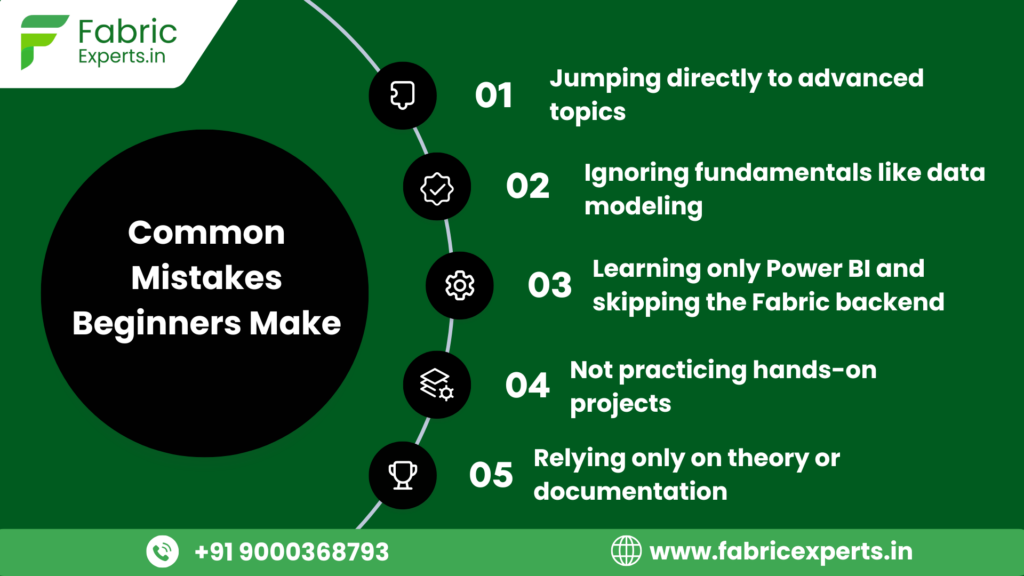
Common Mistakes Beginners Make
How Long Does It Take to Learn Microsoft Fabric?
It depends on your background:
Profile | Time to Become Job-Ready |
|---|---|
Student / Fresher | 4–6 months |
Power BI Developer | 2–3 months |
Data Engineer | 2 months |
Complete Beginner | 6–8 months |
Consistency matters more than speed.
Conclusion
Learning Microsoft Fabric without a roadmap is like traveling without Google Maps—you’ll move, but not efficiently.
A structured Microsoft Fabric learning path helps you:
- Build confidence
- Avoid confusion
- Gain real-world skills
- Prepare for high-demand roles
Start slow. Focus on fundamentals. Practice regularly. And when ready, align your learning with real industry projects and guidance.
Success in Microsoft Fabric is not about speed—it’s about direction.
FAQs
1. Is Microsoft Fabric good for beginners?
Yes. It’s designed with a low learning curve and guided experience.
2. Do I need Azure before learning Fabric?
No, but basic Azure knowledge helps later.
3. Is Power BI mandatory?
Power BI is integrated into Fabric, so learning it is essential.
4. Is Microsoft Fabric better than traditional BI tools?
For end-to-end analytics, yes—because everything is unified.
5. Can I get a job only with Microsoft Fabric skills?
Yes, if combined with SQL, Power BI, and hands-on projects.